Your fleet, in your order
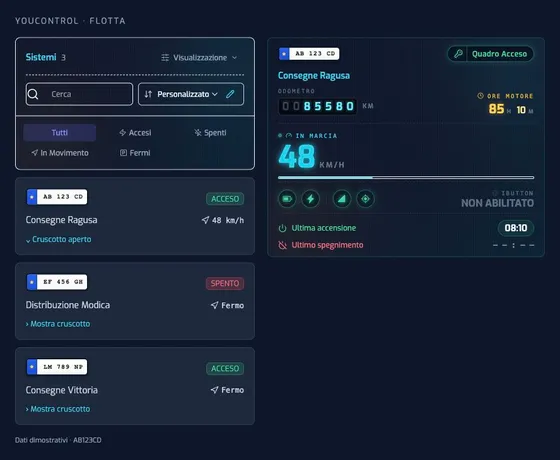
On the web, browse the compact list and expand the dashboard for the vehicle you need. On the web and in the app, choose alphabetical or custom ordering to keep your most frequently checked vehicles first.
Platform
A web control panel and an app to manage all your RESEC systems: location, telemetry, commands and reports, from tractors to refrigerated trailers. On desktop, Android, iPhone and now Apple Watch.
YouControl for Apple Watch
Check your vehicle, its location and the controls you use every day. YouControl is now available on Apple Watch, paired with your iPhone.
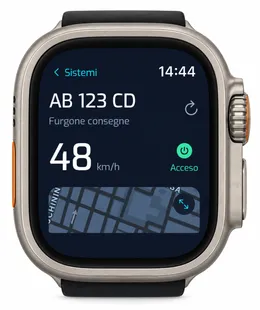
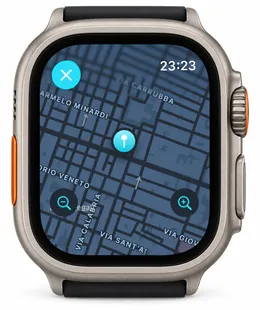
Requires a paired iPhone with YouControl updated and configured. In the iPhone app: Profile → Apple Watch.
Your account’s permissions, schedules and access conditions still apply. “Command sent” means the request has been accepted, not that the gate has physically opened.
Explore TGATE access controlWhat’s new · September 2026
From organising your fleet to understanding fuel costs: new tools to review vehicle activity and find what you need.
On the web, browse the compact list and expand the dashboard for the vehicle you need. On the web and in the app, choose alphabetical or custom ordering to keep your most frequently checked vehicles first.
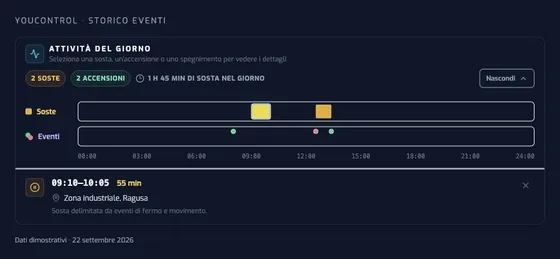
Daily activity brings stops and ignition events together on a timeline. Select an activity to see its time, duration and available location. Confirmed stops are distinguished from reconstructed ones, and incomplete information is flagged.
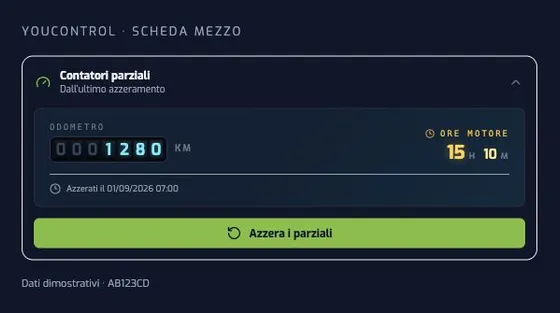
Track vehicle use for a job, a rental or a working period. Trip counters are available on the web and in the app: reset them without changing the lifetime totals.
Choose how each vehicle appears in push notifications: make and registration, assigned user, identifier or driver. A name such as “Ragusa delivery van” makes the alert easy to recognise.
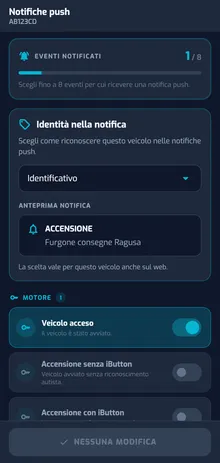
Screens shown in Italian with demo data. For mobile features, use the latest version of YouControl.
Web report · Free activation
Assess the impact of fuel on vehicle running costs. The web report uses CAN consumption data when available and correctly configured; otherwise, it estimates consumption from vehicle usage data.
The estimate considers speed, distance and idling, using urban, mixed and motorway consumption profiles. Estimated consumption is identified in the report; the cost may differ from actual refuelling expenditure.
Activation is free. Tell us your company and the vehicle registrations: we will help you set up the feature and confirm the required parameters together.
Request free activation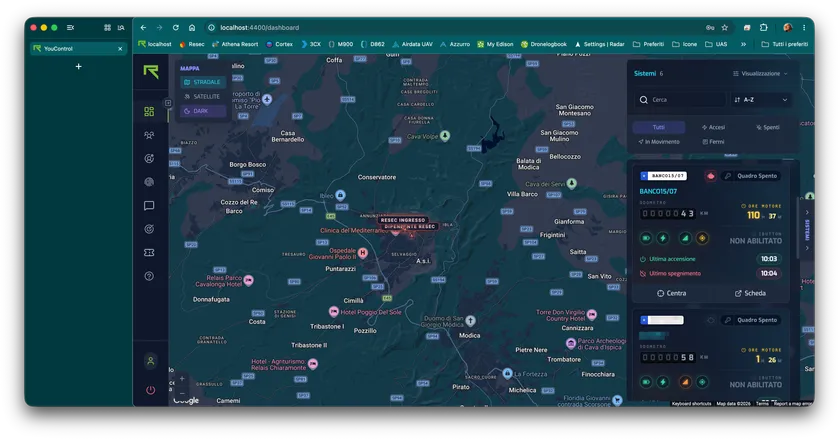
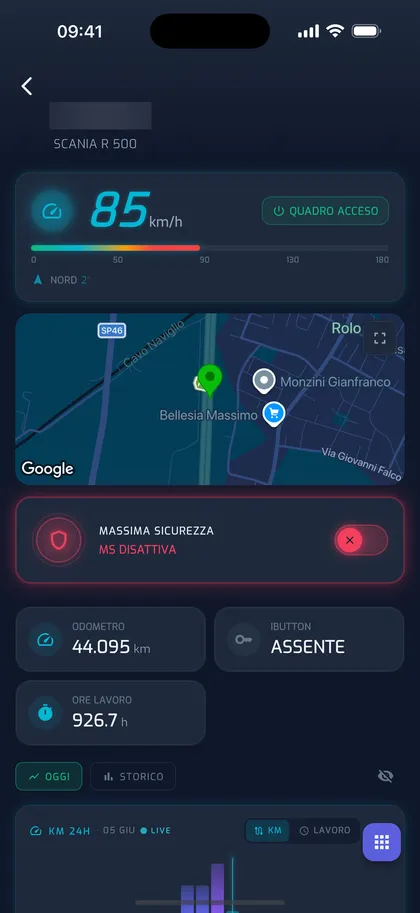
One dashboard, four worlds
YouControl adapts detail pages, sensors and alarms to each vehicle type: see the information you need — in the field, on site, on the road and during deliveries.
Agriculture
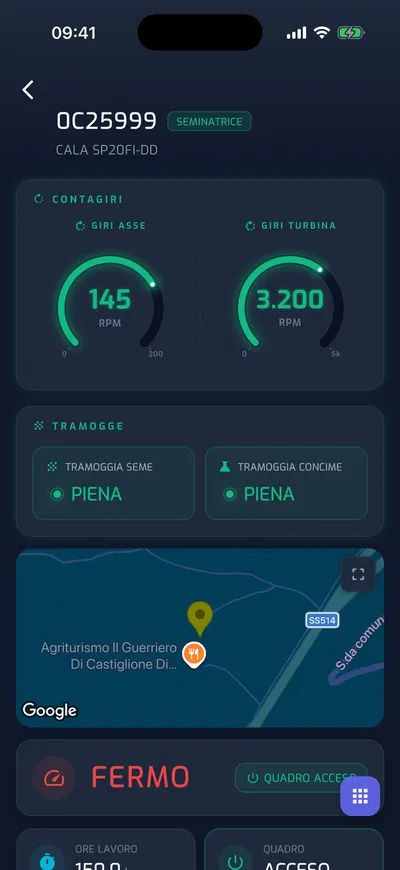
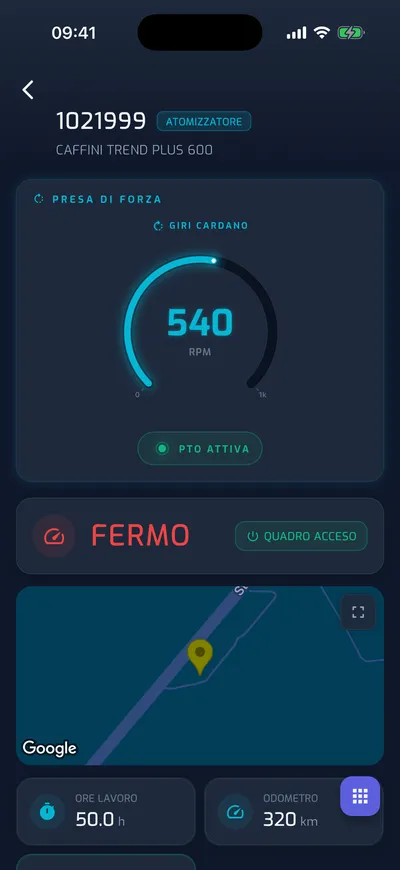
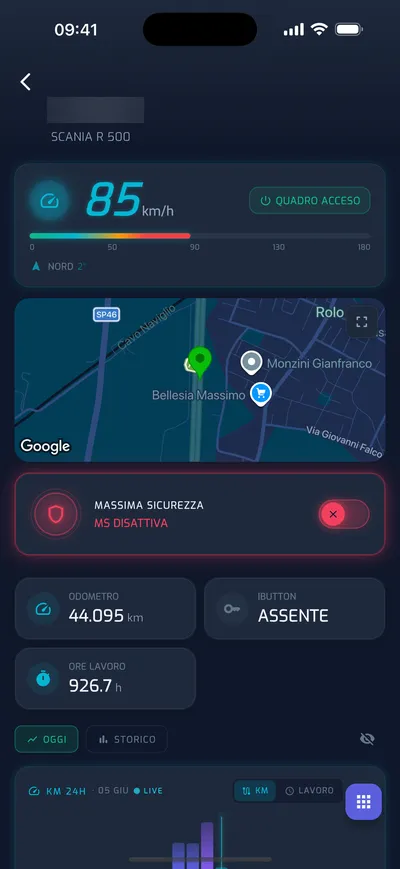
Tractors, seed drills, sprayers and grape harvesters each have a dedicated detail page: real-time shaft, fan and PTO speeds, hopper status and actual working hours. Maintenance can also be scheduled by hours as well as mileage, and low-level alarms warn you before work stops.
Earthmoving · MMT
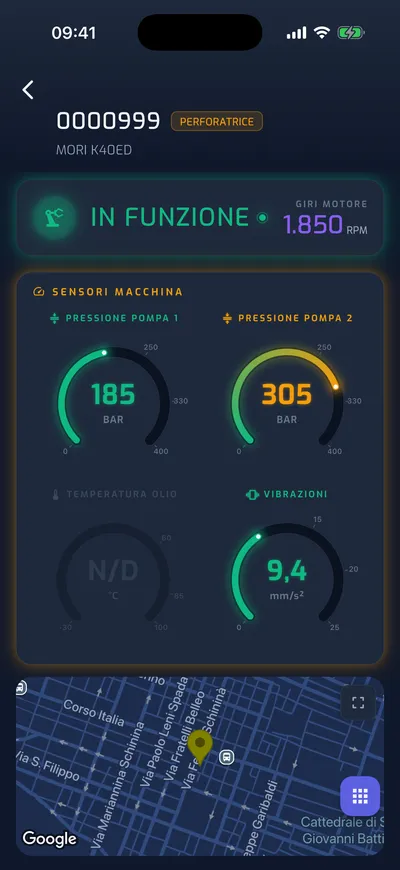
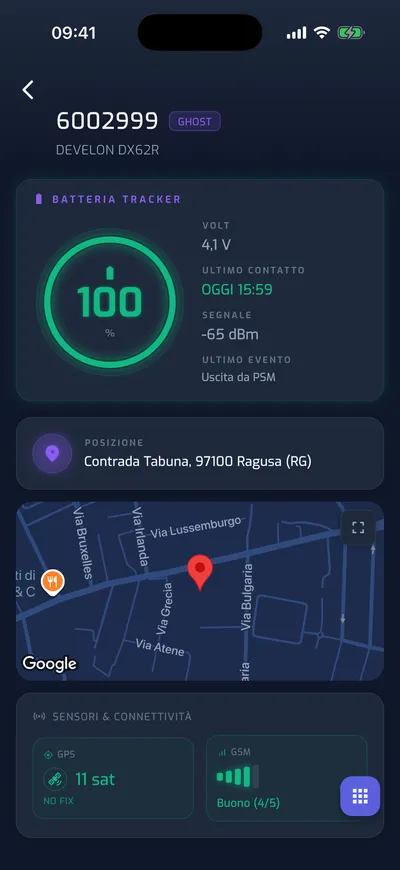
Drilling rigs and construction machinery transmit pump pressures, vibration and temperature to dedicated gauges, with live operating status and engine speed. For unpowered equipment and vehicles, there’s GHOST, the battery-powered asset tracker: location, last contact and remaining charge, for months.
Fleet management · OBD and CAN
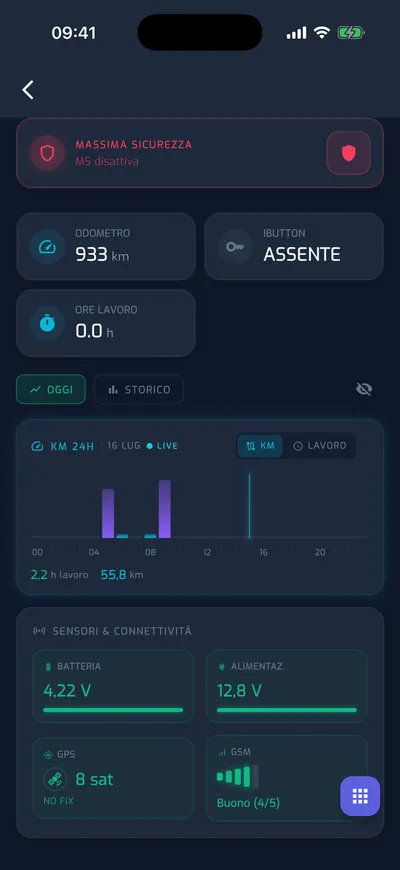
For company cars and vans, simply connect a device to the OBD port: total mileage, next service, DTC faults, fuel and battery status, including for hybrid and electric vehicles. For heavy vehicles, data comes from the CAN bus: engine hours, fuel consumption, AdBlue and odometer. All in real time, all recorded.
Fleet managers · cold chain
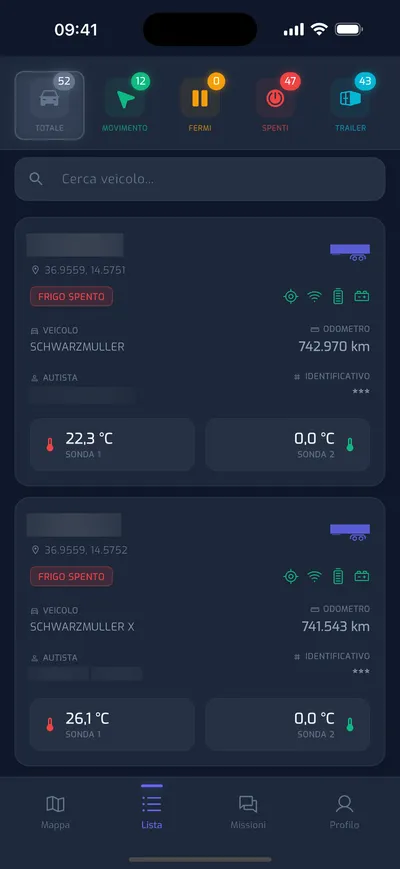
The fleet manager sees everything on one screen: dual temperature probes — wired or Bluetooth — on every refrigerated semi-trailer, door and connection status. An alarm is triggered when thresholds are exceeded; every evening, an email summarises anomalies across the fleet, refrigerated or otherwise.
iOS and Android app
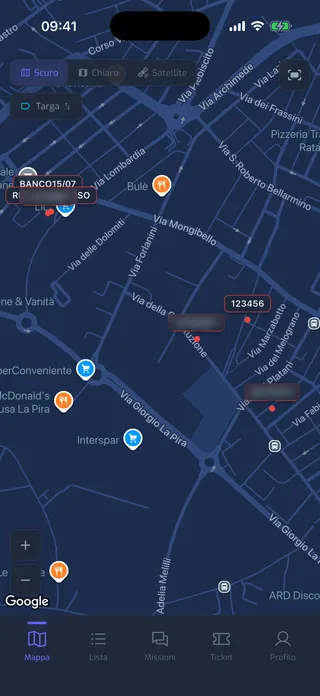
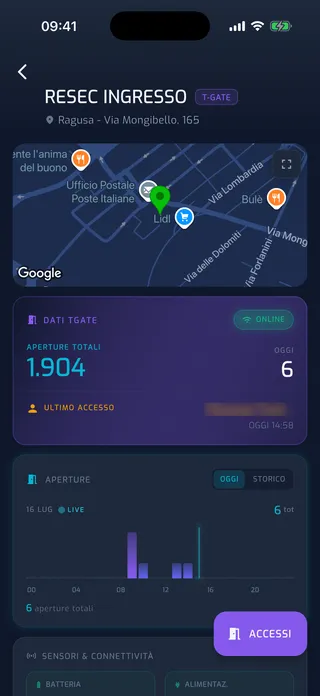
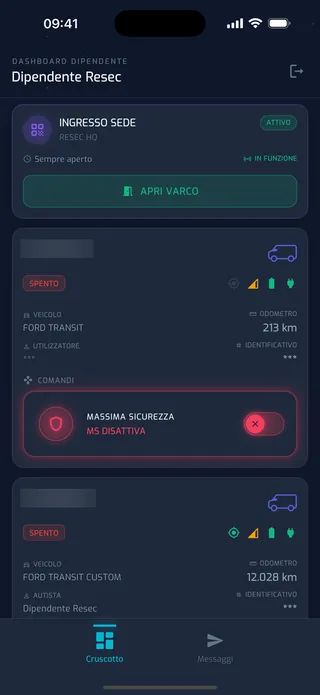
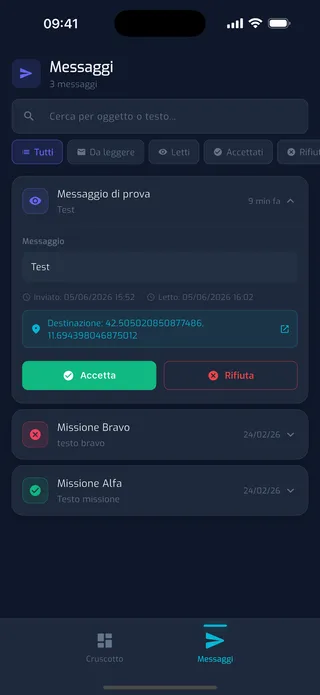
The same dashboard data, in real time. The account owner sees the whole fleet; each employee sees only the vehicles and access points they are authorised to use — with essential commands at their fingertips and integrated ticket support.
Commands & security
Every command leaves the app or dashboard, reaches the vehicle and returns with confirmation. With the right permissions for each role.
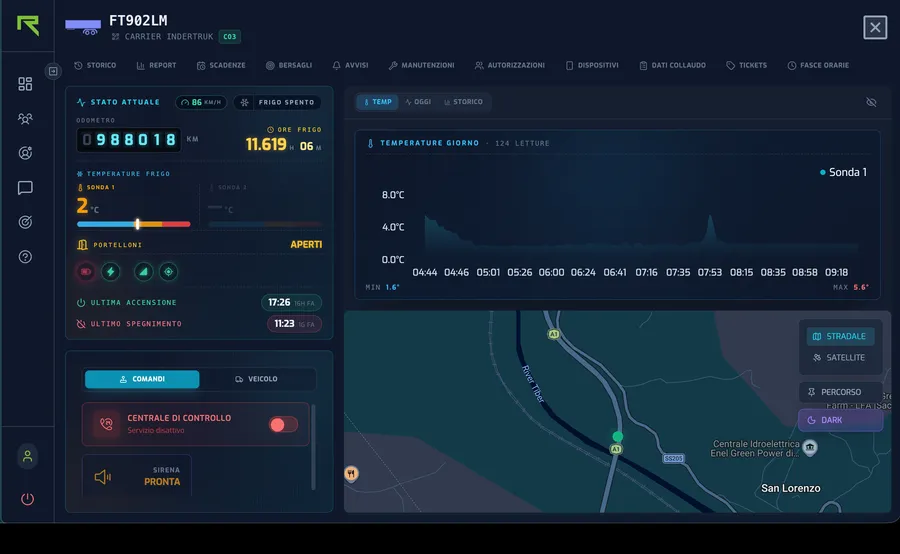
A switch places the vehicle under the protection of the 24-hour Control Centre. It can be activated by the account owner — or an authorised employee, directly from the vehicle card.
Explore the Monitoring serviceOn compatible systems, the account owner can remotely prevent the vehicle from starting. A restricted, logged command for when it matters.
Activate the siren or auxiliary outputs configured on the system, with confirmation of execution on the device.
For each vehicle, choose which events generate a push notification or email: you decide what deserves your attention.
Notifications
App push notifications or email: choose the channels for each vehicle and event.
Report
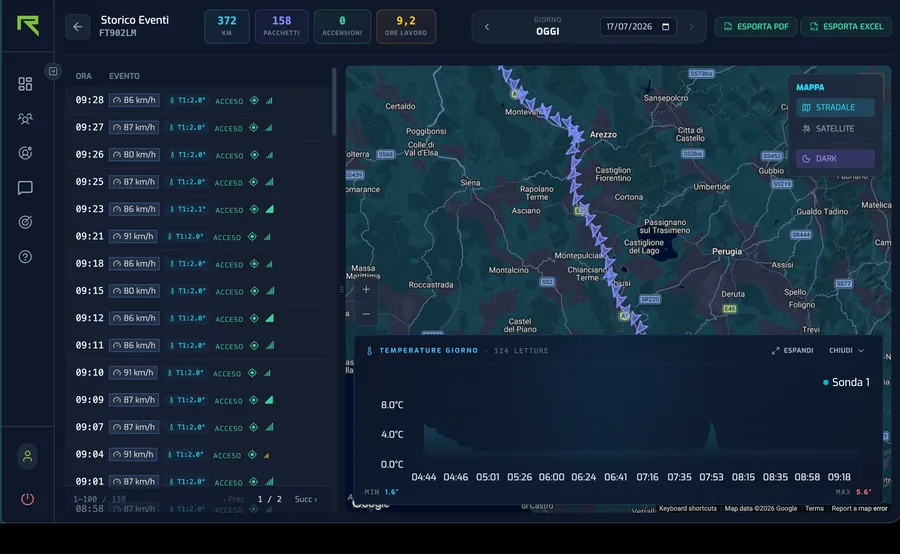
Routes on the map, events and daily activity with stops and ignition events. Export to PDF and Excel.
Route, fuel, working hours, ignition events and counters, with printable period summaries.
Every day, distance per vehicle with weekly trends, directly in the manager’s inbox.
How long each vehicle spent in each area: yards, construction sites and loading points.
Simple but comprehensive software connectors transfer vehicle data to other platforms in real time: accounting, HR, maintenance and CRM software.
Discover RESEC’s cloud infrastructureTell us what you need to manage: together, we’ll find the right monitoring solution for your fleet.