Access control
TGATE you decide who gets in
The business access control system that fits any existing automation — gates, doors, barriers and garages. Authorised employees open from their smartphones; every access is logged with name and time.
For any automation
Your gate is already ready
TGATE controls your existing automation. Whatever system opens and closes your gate, it becomes a controlled access point.
01
Fits what you already have
The TGATE device connects to your existing automation — gate, door or barrier — and communicates over the mobile network: no network cabling or additional works.
02
Authorise your people
Create employee accounts in the Dashboard and decide who can open each access point, on which days and at what times. Changes take effect immediately.
03
Open from the app
Employees open the gate with a deliberate gesture on their smartphone. No keys, remotes or badges to distribute, duplicate and collect.
iOS and Android app
In the pocket of everyone who enters each day
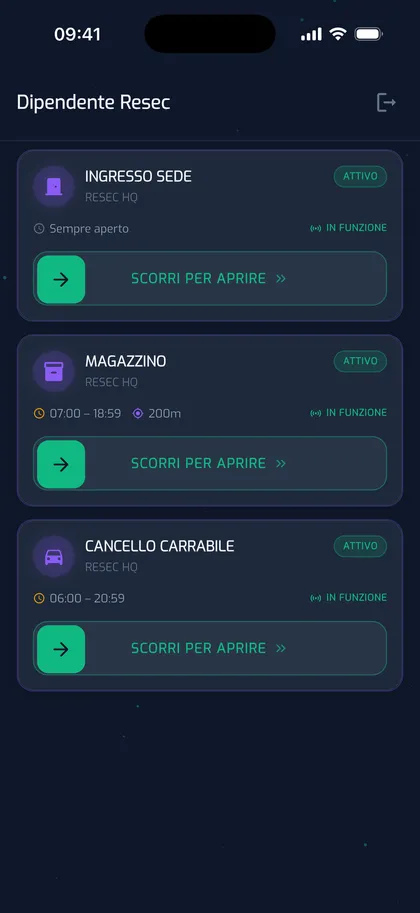
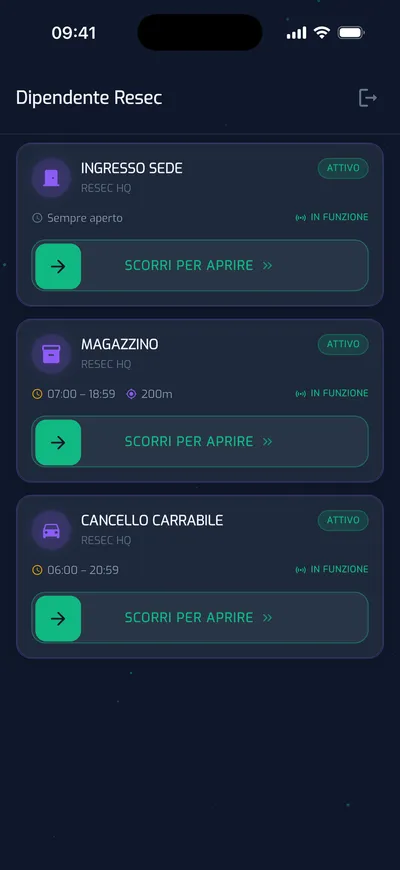
Employees have nothing to configure: open the app and find their access points. Actual screens from the YouControl app.
The employee app
Their smartphone is the key
Each employee sees only the access points they are authorised to use, with real-time status. Opening requires a deliberate swipe — preventing accidental openings with the phone in a pocket — and the gate stays closed outside the permitted time window.
- Deliberate “swipe to open” gesture, preventing accidental taps
- Only authorised access points: no menus or configuration
- Time window and “active” status always visible
- GPS Geocage: opening works only near the access point
- Out-of-range opening attempts logged as security events
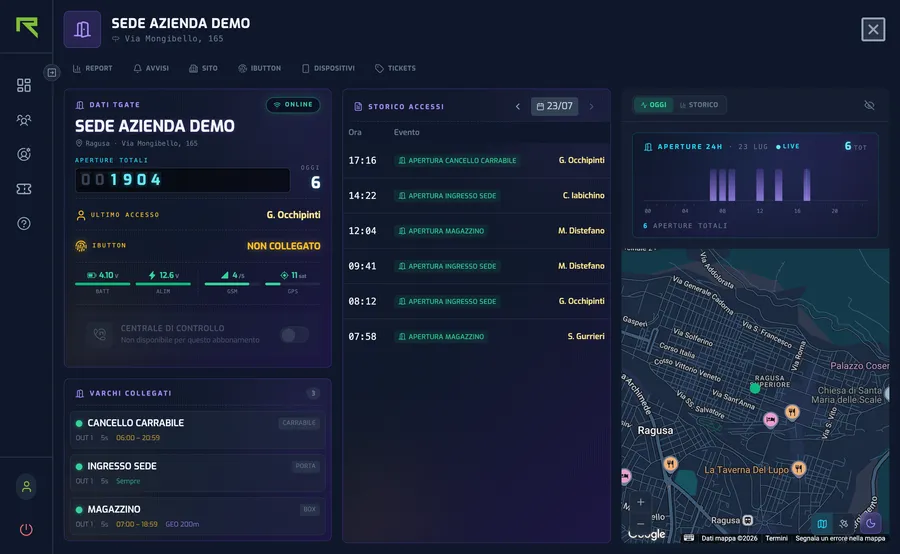
A detail page for every access point
Openings and status, in real time
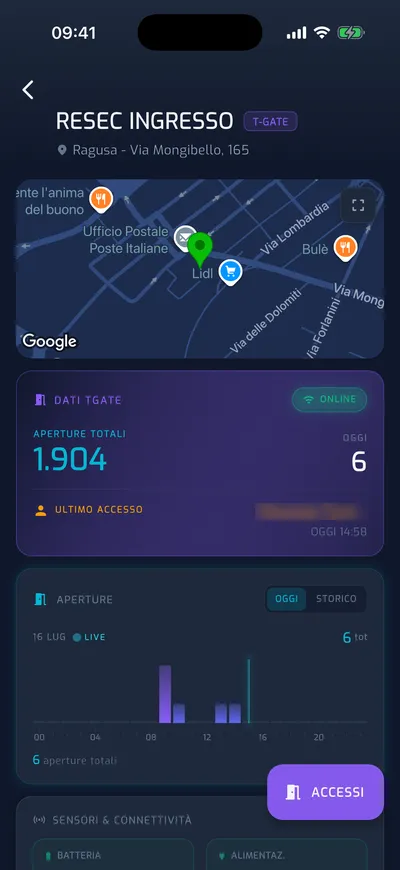
The T-Gate detail page answers operational questions: openings today and in total, who entered last and when, how access is distributed throughout the day — down to device health, including power supply and signal.
- Total and daily opening counters
- Last access with name and time
- Access chart: 24-hour timeline and weekly trend
- Complete day-by-day access log
- Device diagnostics: power supply, battery, GSM and GPS
Also from Apple Watch
Open from the wrist too
Anyone wearing an Apple Watch paired with their iPhone will find their access points on the watch too, each with its status. Opening uses the same deliberate swipe as the app, and the same rules apply: permissions, time windows and Geocage.
- List of access points, each with its status at a glance
- “Swipe to open” on the watch too: releasing early cancels
- Permissions, time windows and Geocage checked at every opening
- Every opening goes into the access history, just as it does from the app
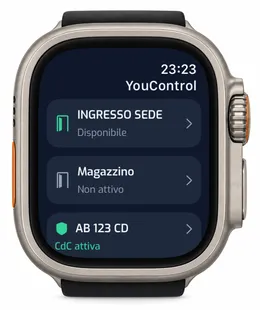
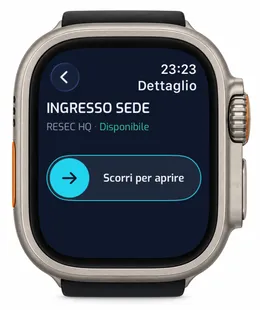
Requires a paired iPhone with YouControl updated and configured. In the iPhone app: Profile → Apple Watch.
“Command sent” means the request has been accepted, not that the gate has physically opened.
The Dashboard
You decide who, where and when
Manage the entire system from the web Dashboard: employees, permissions, time windows, access history and reports — from the same dashboard as every other RESEC system.
Employee management
Personal accounts for each employee: create, suspend and revoke them yourself, without calling support.
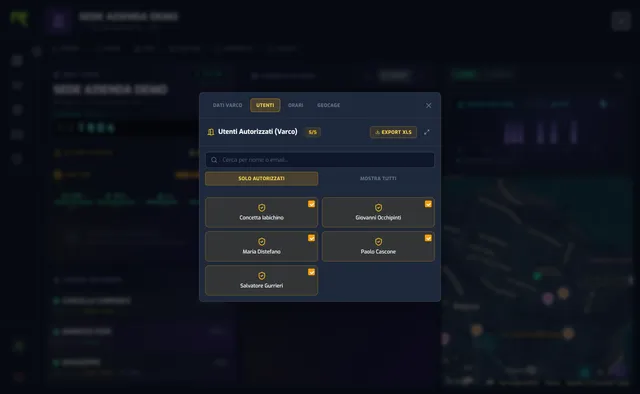
Permissions by access point
A checkbox grid determines who can open each access point. Changes reach the app in real time.
Time windows
Days of the week and operating hours for every access point: no openings outside the time window.
Geocage
A GPS radius around the access point: opening is allowed only for people who are actually nearby.
Access history
Every opening logged with access point, name and time, available day by day in the dashboard.
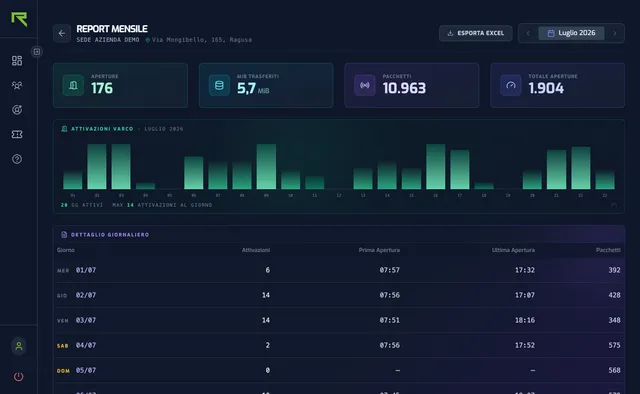
Monthly Excel report
Openings per day, first and last opening of the month: the full picture, exported in one click.
24-hour monitoring
The access point can be protected by RESEC’s Control Centre, operating 24 hours a day and holding a prefectural licence: flip a switch in the dashboard and the area is monitored.
Let’s talk about your project
Tell us what you need to manage: together, we’ll find the right monitoring solution for your fleet.